CNAPP Explained: From Cloud Posture to CTEM

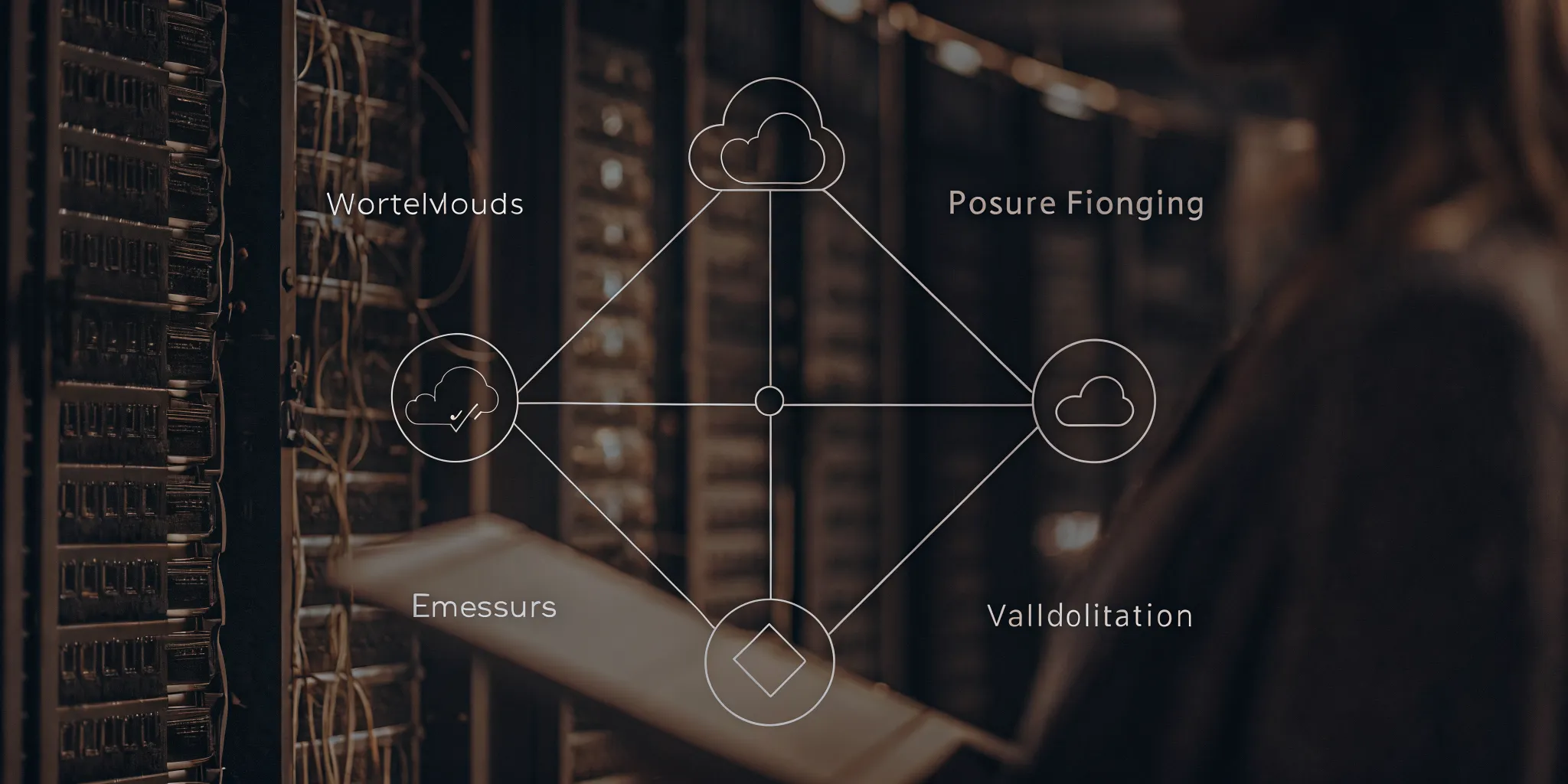
Unmanaged cloud risks can stay hidden for months when security tools do not talk to each other. These blind spots leave systems open to attack and make it hard for teams to stay in control.
CNAPP explained starts with the need to link security across the whole cloud application lifecycle. A Cloud-Native Application Protection Platform (CNAPP) is a security system that joins many tools and tech to keep cloud apps safe (CUNY Pressbooks). By mixing tools like posture management and workload protection, a CNAPP gives security teams one view of their risks. This helps teams find and fix security gaps in real time before attackers can use them. Instead of using a different tool for every cloud task, this platform brings everything into one place to improve sight and control. It also helps security and DevOps teams work together to make sure that security rules stay the same across every cloud site. This shift to one platform cuts the manual work needed to keep complex cloud systems safe and following the rules.
Security teams need to know how these different pieces work together to stop threats. Learning more about this system helps you build a strong defense that covers your whole stack. The next section explains what a CNAPP brings together and why that unified context matters.
CNAPP explained: what the platform brings together
A Cloud-Native Application Protection Platform (CNAPP) is a security model that unites many tools and methods. Its main goal is to protect apps built for the cloud from start to finish. By joining different parts of security, this platform gives teams better cloud visibility and control over their work. This shift helps firms see risks across many settings and workloads (F001).
The move to unified security
In the past, teams used many separate tools to find risks in their cloud. This often led to gaps and too much data. A CNAPP changes this by putting everything in one place. It helps security and DevOps teams work together better by using a single view (F002). This new approach makes it easier to apply security rules in a steady way.
This exposure convergence makes it easier to manage threats across the entire life of an app. Instead of looking at small pieces, teams can see how one risk affects the rest of the cloud. This full view is vital for firms that want to reach zero-trust goals by 2029 (F007).
From tools to a platform
A true platform is more than just a list of features. It links code security with the way apps run in real time. This link helps find flaws early and stops them from causing harm later. Advanced platforms now use smart threat detection to spot odd acts as they happen (F009). This cuts down on the time it takes to scan for risks and react to events.
While some tools only look at cloud settings, a CNAPP fits into a larger threat exposure management plan (F006). It helps firms move away from old ways of fixing flaws. By using one platform, leaders can see their real risks and use their time on the most urgent tasks.
Core capabilities inside a CNAPP
A Cloud-Native Application Protection Platform (CNAPP) is a security setup that combines many tools to protect cloud apps. With the CNAPP explained as a single platform, it is easier to see how it replaces scattered legacy tools. By using one dashboard, a CNAPP increases visibility and control across multi-cloud systems. This unified view helps security and DevOps teams work as one unit.
Posture and identity management
CNAPP tools start by looking at your cloud setup. Cloud Security Posture Management (CSPM) finds weak settings that could lead to a breach. These tools scan for open ports or bad storage rules. But cloud security posture management (CSPM) limitations often leave gaps in risk context. Without a full view, teams may miss how one small flaw links to others.
Cloud Infrastructure Entitlement Management (CIEM) adds identity checks to the mix. It tracks who has access to your data and finds accounts with too much power. It maps out the links between users and cloud assets. Together, these tools help you maintain a strong defense from the start.
Protection from code to runtime
Modern security must watch apps at every stage of their life. Infrastructure as Code (IaC) scanning finds flaws in your setup files before you deploy them. This move stops threats from ever reaching the cloud. It helps teams find and fix errors early in the build process. This saves time and reduces the cost of security fixes later.
Once an app is live, Cloud Workload Protection Platforms (CWPP) take over. These tools offer runtime protection by watching for odd moves in containers and VMs. They can spot threats that only show up when the app is running. Integrating these steps into the Uni5 Xposure platform allows for a full view of your threat landscape.
Attack path analysis and validation
A key feature of a CNAPP is attack path analysis. This tool shows how a hacker could move through your system to reach a target. It links flaws and bad settings to map out real risks. It shows you the most likely routes an attacker would take. This lets you block paths before they can be used against you.
Using Breach and Attack Simulation (BAS) adds even more value here. BAS checks if a threat is truly a risk in your cloud setup. It tests your defenses to see if they hold up. This helps you focus on the risks that matter most to your business. You can stop chasing low-risk bugs and start fixing critical gaps.
| Feature. | Legacy Point Tools. | Integrated CNAPP. |
|---|---|---|
| Visibility | Siloed data from many tools | Unified view in one dashboard |
| Risk Context | High noise with few links | Clear risk paths and context |
| Deployment | Often slow and complex | Fast, cloud-native setup |
| Teamwork | Poor dev and security sync | Shared data for all teams |
| Validation | Based on generic scores | Validated with real tests |
Where cloud security posture management fits
Cloud security posture management (CSPM) is a core part of a CNAPP architecture. It helps teams find and fix wrong settings in cloud systems. Most cloud breaches happen because of simple mistakes like open ports or weak access rules. A CSPM tool scans your cloud for these gaps and checks them against safety rules.
What CSPM finds
A good CSPM tool gives you cloud visibility by watching your assets all the time. It looks for public data stores, old keys, and risky network paths. These tools are great at finding "low-hanging fruit" that hackers love to use. By checking your setup against sets like CIS or SOC2, you can stay safe and meet your legal needs at the same time.
The limits of basic tools
While helpful, there are cloud security posture management (CSPM) limitations to keep in mind. A CSPM tool can tell you a setting is wrong, but it cannot always prove that a hacker can reach it. It often gives you a long list of alerts without telling you which ones matter most right now. This can lead to "alert fatigue" where teams spend too much time on minor issues.
Using business context
To move from just finding bugs to managing risk, you need more than just a scan. This is where exposure convergence helps. You should look at how a cloud flaw fits with your user roles and real-world threats. By using threat data and attack tests, you can see which cloud gaps are truly open. This helps you fix the most dangerous flaws first, which keeps your apps safer while saving your team time.
CSPM vs CTEM: complementary approaches to exposure
Security teams often look at cloud tools to fix security gaps. Cloud Security Posture Management (CSPM) helps find wrong settings in the cloud. It checks if your cloud storage is open or if your keys are safe. While this is good, it only shows one part of the risk. Continuous Threat Exposure Management (CTEM) is a wider plan. It looks at your whole system to find and fix threats. A CNAPP explained often includes CSPM as a core part, but CTEM makes the security plan work better.
Why CSPM isn't enough for the cloud
CSPM tools are great for finding cloud mistakes. They scan for things like open ports or weak login rules. These tools help keep cloud apps safe from simple errors. But cloud systems change fast. A tool that only looks at settings might miss how a hacker can move. A cloud security setup needs more than just a list of bad settings. It needs to know how those settings hit the whole company. This is where cloud security posture management (CSPM) limitations become clear. You need to see the full path a threat can take.
Most CSPM tools give a score for each flaw. This score is often based on how bad the flaw is on its own. It does not look at what else is near that flaw. Say an open port is on a test server. That is not as bad as one on a live bank server. Teams can get too many alerts from these tools. This can lead to alert fatigue. Security staff might miss a real threat because they are busy with small fixes. They need a way to know which flaws to fix first.
How CTEM adds value to cloud security
CTEM is a five step plan to manage risk. These steps are scope, find, rank, test, and act. It goes beyond just finding flaws. CTEM looks at the entire threat life cycle to give a full view of risk. By using this plan, teams can focus on the risks that matter most. It helps them see the exposure convergence between parts of the tech stack. This leads to a better way to stop attacks before they start. It moves the focus from a list of bugs to a plan for safety.
This method helps teams work together better. When you have a clear plan, everyone knows what to do. IT and security teams can agree on what to fix first. This saves time and makes the company safer. CTEM also looks at threats outside the cloud. It includes things like user IDs and local servers. This wide view is key for modern firms. Most large companies use more than one cloud service. A plan that covers all of them is the best way to stay safe.
Validating cloud risk with BAS and threat intelligence
How do you know if a threat is real? This is where testing comes in. Breach and Attack Simulation (BAS) is a tool that tests your defenses. It tries to "attack" your system in a safe way. This shows if a hacker could really get in through a flaw. It helps you see if your current tools can stop the attack. If a flaw is not easy to reach, it might not be a top task. This saves time for busy security teams. It turns a guess into a fact.
Threat intelligence adds more detail to this data. It tells you which flaws hackers are using right now. HiveForce Labs finds these trends to help you stay ahead. You can see which bugs are "hot" in the wild. This helps you rank your work. Instead of fixing every bug, you fix the ones that are being used to attack others. This data driven approach makes your security much stronger. It ensures you are always ready for the next big threat.
Using BAS and threat data together is very strong. It helps you prove that your security works. You can show leaders that the team is focusing on the right things. This builds trust and helps get the budget you need. Cloud security is always changing, so your plan must change too. Linking CSPM with a CTEM framework is the best way to manage risk. It gives you both the quick checks and the big picture plan you need to stay safe in the cloud.
How to make CNAPP findings actionable
A cloud app safety platform finds many risks. But finding a flaw is only the first step. To keep your cloud safe, you must turn these alerts into clear tasks. Many teams fail here because they have too much data and not enough context. When a safety setup gives too many alerts, the most vital risks can get lost. You need a way to sort through the noise to keep your apps safe.
Link findings to exposure management
One way to improve your workflow is to use a framework like CTEM. This stands for Continuous Threat Exposure Management. It helps you look at your whole cloud space, not just one tool at a time. Many teams see cloud security posture management (CSPM) flaws when they only look at settings. By using CNAPP with CTEM, you see how different risks link together. This broad view lets you focus on the gaps that could truly hurt your firm. Having CNAPP explained in this way helps you see the value of a unified view.
Validate risks with attack data
Not every risk is a real threat. Some flaws are in parts of the cloud that no one can reach from the outside. You should use breach and attack tests to check your gaps. This shows you if a hacker can really use a flaw to get in. When you add threat data from sources like HiveForce Labs, you see which risks are active in the wild right now. This step makes your list of tasks much shorter and more useful for your team. It helps you stop wasting time on risks that do not matter.
- Scope the cloud space. Map out all your apps and data to see what needs protection. This gives you a clear starting point.
- Sort by risk level. Use a tool like Uni5 Xposure to rank flaws based on how much they matter to your business goals.
- Test for access. Check if the most critical gaps are open to the web or locked away behind other tools.
- Set clear owners. Give each task to the right person on the DevOps or safety team so they can act fast.
- Track the fix. Watch the progress of each task to ensure the risk is gone for good.
- Report the results. Show how much the risk score went down to prove the value of your hard work.
Assign ownership for faster results
Safety is a team sport. Once you find a real risk, you must know who is in charge of fixing it. In many firms, the gap between finding a flaw and fixing it is too wide. By setting clear owners, you close that gap. This is a core part of the exposure convergence that top firms now use. When DevOps and safety teams work from the same list, they move much faster. This leads to a safer cloud and a more helpful team. The goal is to fix what matters most. With Uni5 Xposure, you can see how each fix helps your overall risk score. By following these steps, you move from just finding risks to actually making your cloud safe. You don't just find problems; you solve them before they can cause harm.
What should security leaders look for in a CNAPP?
Security leaders must choose tools that offer a full view of their cloud risks. A strong platform helps teams find and fix issues fast. By 2029, most firms that do not use a unified CNAPP architecture will lack the visibility needed to meet zero-trust goals. Leaders should focus on how a tool fits into their current workflow and if it can grow with their needs.
Full visibility and context
A good platform shows every asset across your cloud systems. This includes setup errors, weak spots, and gaps in compliance. In multi-cloud systems, a tool should offer constant monitoring of assets and configurations. This helps teams see the full attack surface. When a tool gives context, it shows which risks are most dangerous to the business. This move from basic scanning to full context is a key part of exposure convergence.
Context also helps reduce the number of false alarms. Security teams often deal with too many alerts. A platform that links data from different areas can show which paths a real threat might take. This allows leaders to focus on the problems that matter most. It turns raw data into clear steps for the team to take.
Unified workflows and team unity
Tools should help security and DevOps teams work as one. A single dashboard makes it easy to apply the same security rules across the whole firm. This improves cooperation and keeps everyone on the same page. When everyone sees the same data, they can solve issues much faster. This unity reduces friction and helps projects stay on track.
Good tools also fit into the tools your team already uses. They should work with your current CI/CD pipes and ticketing systems. This means teams do not have to switch between many screens to get their work done. A unified workflow saves time and cuts down on human error. It makes security a natural part of the build process instead of a block at the end.
Validation and outcomes
Leaders need to know if their security checks actually work. This is where validation comes in. Use tools that can simulate attacks to see if a flaw is really a risk. This step confirms that your defenses are strong. It also helps you see the real ROI of your security spend. By using Uni5 Xposure, firms can move beyond old methods to a more modern way to manage risk.
Finally, look for tools that use AI to find threats in real time. These tools can spot strange acts and flaws faster than any person could. This reduces the time it takes to find and fix a breach. Faster response times lead to better outcomes and less damage. In the end, the goal is to make the firm safer and more resilient to change.
Frequently Asked Questions
What is the difference between CNAPP, CSPM, and CWPP?
A Cloud-Native Application Protection Platform (CNAPP) combines several security tools into one solution. While Cloud Security Posture Management (CSPM) focuses on cloud settings and Cloud Workload Protection Platforms (CWPP) secure the apps themselves, a CNAPP does both. According to academic research, this integrated approach helps teams see and control risks across their entire cloud environment from a single dashboard.
How does a CNAPP secure the cloud application lifecycle?
A CNAPP protects apps from the start of development through their time in the cloud. It scans code for flaws early and monitors live workloads for threats. This unified view helps security and DevOps teams work together better. Experts at Wiz suggest that most companies without a unified CNAPP by 2029 will lack the visibility needed to meet zero-trust goals or manage their full attack surface.
Does CNAPP replace existing cloud security tools?
Yes, a CNAPP is built to replace and unify separate tools like CSPM and CWPP. Instead of managing many different security products, teams use one platform for all their cloud needs. This change helps reduce noise and makes security tasks easier to manage. Modern platforms like Hive Pro show that combining these tools helps organizations move from basic scanning to a more complete way of managing their total threat exposure.
Why should teams use CNAPP for multi-cloud security?
Managing security across different cloud providers is hard with separate tools. A CNAPP provides one clear view of all assets and risks regardless of which cloud they live in. It finds misconfigurations and compliance gaps in real time. Using a unified platform ensures that security rules stay the same everywhere. This consistency is vital for large firms that need to track vulnerabilities across complex systems while keeping their team efficiency high.
Ready to secure your cloud with threat exposure defense?
Relying on old tools can leave your cloud apps open to fast attacks that cause deep damage and cost your firm a lot of money. Each day that passes without a clear view of your risk lets new threats grow and spread through your whole system. If you start to fix these gaps now, you will gain the peace of mind that comes with a strong defense and safe data. Taking this step today means your data stays safe and your systems stay up so you can focus on growing your firm.
Ready to request a demo? Request a demo now to talk to a security expert about your cloud safety and threat exposure defense needs.







.svg)